


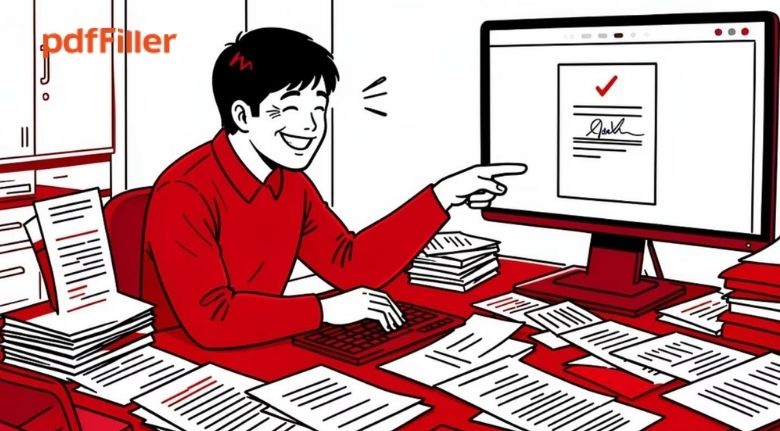
Working with documents is part of almost every modern routine. Whether you are a student preparing assignments, a freelancer sending proposals, a small business managing invoices, or a professional handling contracts, PDFs can quickly become a regular part of your day. The challenge is that documents often need more than simple viewing. You may need to correct information, add details, collect signatures, combine several files, create forms, or send documents to other people for review.
A good document workflow should make these tasks easier rather than forcing you to switch between several applications. This is where an all-in-one online PDF solution can make a difference. Instead of treating a PDF as a static file, you can use it as an editable and interactive document that can be prepared, completed, shared, and managed digitally.
pdfFiller brings together tools for editing, converting, signing, sharing, creating forms, organizing pages, and managing documents in one online workspace. This can be useful for individuals as well as businesses that deal with paperwork regularly.
Start With a More Organized Document Workflow
The first step toward better document management is understanding how your files move from one stage to another. A document might begin as a Word file, become a PDF, receive additional information, go through several rounds of review, and eventually need a signature. When every stage is handled in a different application, the process can become unnecessarily complicated.
A more organized workflow starts by keeping important document tasks together. Instead of downloading a file, opening another program, converting it, uploading it somewhere else, and then sending it through another service, you can look for tools that cover several stages of the process.
With pdfFiller, users can upload documents and work with them online. The platform provides editing, annotation, conversion, signing, sharing, and document-management tools that can be used as part of the same workflow. This approach can help reduce the number of separate steps involved in routine paperwork.
It is also useful to organize files according to their purpose. Keep contracts, applications, invoices, reports, and personal documents in clearly named folders or categories. A consistent naming system can make files easier to locate later and reduce the time spent searching for the correct version.

Edit PDFs Without Rebuilding the Original Document
One of the most common PDF problems is needing to make a small change after a document has already been converted into PDF format. A typo, outdated address, incorrect date, or missing piece of information can turn a simple task into a frustrating editing process.
A useful PDF editor should allow you to make changes without having to recreate the entire document from scratch. Depending on the file, you may need to add text, remove information, insert images, highlight important sections, or make visual adjustments.
pdfFiller provides online PDF editing tools that allow users to work with text, images, layouts, annotations, and other document elements. The platform also supports actions such as adding text fields, inserting images, highlighting content, and removing unwanted information.
This can be particularly helpful for business documents. For example, a company may have a standard proposal that needs a few details changed for every client. Instead of recreating the document each time, the team can work from an existing version and update the relevant sections.
Students can also benefit from a flexible editing workflow when preparing applications, project documents, forms, or other paperwork. The key is to make corrections while keeping the document structured and readable.
Turn Static Documents Into Interactive Forms
Many documents are designed to collect information. Applications, registrations, questionnaires, agreements, feedback forms, and internal business documents may all require people to enter details before they can be processed.
Traditional paperwork often means printing a document, writing information by hand, scanning it, and sending it back. A digital fillable form can remove several of these steps.
pdfFiller includes tools for creating fillable PDFs with fields such as text boxes, checkboxes, dropdowns, and signature fields. Existing documents can be adapted into interactive forms, allowing recipients to enter information digitally instead of working with paper copies.
This can make information collection more convenient for both the sender and the recipient. A business, for example, could create a standard client information form and reuse it whenever a new customer needs to provide details.
Forms can also help create a more consistent process. Instead of asking people to write information in different places or formats, specific fields can guide them through the required sections.
When designing a form, simplicity is important. Only request information that is actually necessary, use clear field labels, and arrange questions in a logical order. A well-structured form is easier to complete and easier to review afterward.
Make Signing and Document Sharing Simpler
Signatures are another important part of many document workflows. Contracts, agreements, approvals, applications, and business paperwork may need to be signed by one or several people before the process can continue.
Handling signatures through printed documents can create delays. A document may need to be printed, signed, scanned, and emailed back. If multiple people are involved, the process can become even more difficult to track.
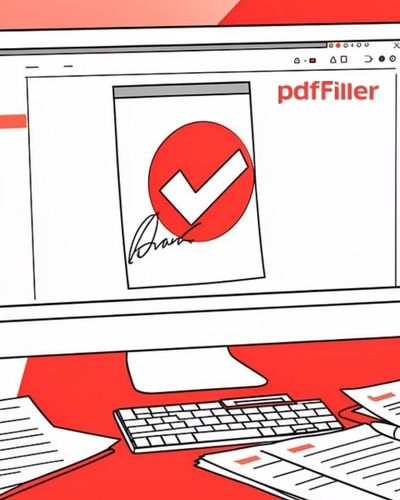
Digital signing tools provide a more convenient alternative for many routine workflows. pdfFiller includes eSignature capabilities and allows users to send documents for signatures. It also supports reusable templates and sharing options for document collaboration.
This can be especially useful when people work remotely. A document can be prepared digitally and sent to the relevant recipients without requiring everyone to be in the same physical location.
Before sending a document for signature, however, it is important to check that all information is correct. Confirm names, dates, amounts, clauses, and other important details before requesting a signature. A quick review can prevent the need to repeat the signing process later.
For recurring documents, templates can also save time. Instead of preparing the same agreement from the beginning every time, a reusable template can provide a consistent starting point.
Organize, Convert, and Manage Files More Efficiently
PDF management involves more than editing individual pages. You may have several documents that need to be combined, a large file that needs to be reduced, or pages that need to be rearranged before sharing.
Having separate tools for every small task can make document management unnecessarily complicated. A centralized solution can make these everyday operations easier to handle.
pdfFiller offers tools for merging documents, splitting PDFs, rearranging pages, compressing files, and converting documents between formats such as PDF, Word, Excel, JPG, and PowerPoint.
Imagine preparing a business proposal that contains information from several different documents. Instead of sending multiple attachments, you can combine the relevant material into one organized PDF. Similarly, if a large document contains several sections that need to be distributed separately, splitting the PDF can make sharing easier.
Conversion tools are also useful when information needs to move between different formats. A spreadsheet may need to be turned into a PDF for presentation, while a PDF may need to be converted into another format for further editing.
The important thing is to keep the final document organized. Before sharing a file, check the page order, remove unnecessary pages, confirm the formatting, and give the file a clear name.
Build a Consistent Digital Document Routine
The biggest improvement in document management often comes from creating a consistent routine. Having powerful tools is helpful, but knowing how to use them as part of an organized process can make an even bigger difference.
Start by identifying the document tasks you perform most frequently. If you regularly edit contracts, create a reusable workflow around editing and eSignatures. If you collect customer information, focus on creating well-designed fillable forms. If you work with large numbers of files, prioritize organization, conversion, merging, splitting, and secure sharing.
pdfFiller is designed to bring many of these document activities together in an online environment. Its feature set covers editing, forms, eSignatures, collaboration, conversion, page management, and sharing, making it suitable for different types of individual and business workflows.
It is also worth creating a simple review checklist before completing important documents. Check the spelling, dates, names, attachments, page order, and signature requirements. For sensitive documents, review the sharing and access settings before sending them to another person.
Over time, a structured workflow can reduce repetitive work and make everyday paperwork easier to manage. Whether you are handling a single application or managing documents for a growing business, the goal should be the same: spend less time dealing with document-related obstacles and more time focusing on the work itself.
As digital paperwork continues to become part of everyday professional and personal life, having a reliable way to edit, complete, sign, organize, and share PDFs can make routine tasks much more manageable. A centralized workflow can help turn document management from a collection of small frustrations into a smoother and more predictable process.