


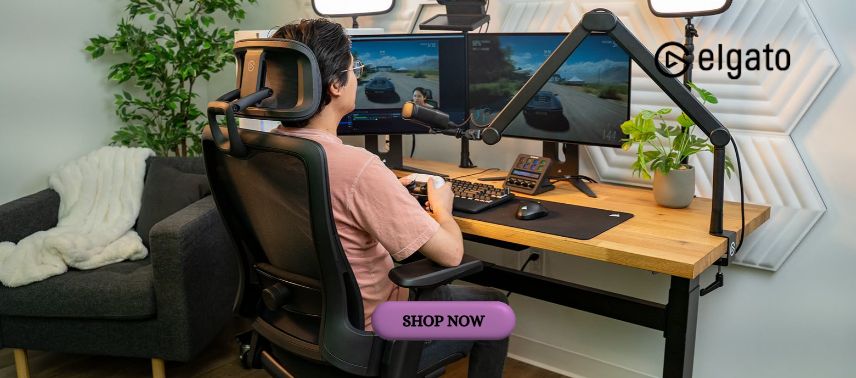
Content creation has become an important part of modern digital culture, allowing people to share ideas, entertain audiences, build communities, and develop professional opportunities. Whether someone is streaming gameplay, recording educational videos, hosting online meetings, producing podcasts, or creating content for social media, the quality of their equipment can influence the overall experience. Clear audio, balanced lighting, reliable video capture, and efficient workflow controls can help creators produce content that looks and sounds more professional. Elgato offers a range of hardware and software solutions designed to support streamers, gamers, video creators, and digital professionals.
From the popular Stream Deck controllers to capture cards, microphones, webcams, and lighting equipment, Elgato provides tools that help creators manage their production environments. Its product ecosystem focuses on simplifying technical tasks while giving users greater control over how they record, stream, and communicate.
1. Elgato: Building a Smarter Workspace for Modern Content Creators
Creating digital content often involves managing several activities at once. A streamer may need to switch between video scenes, adjust microphone settings, interact with viewers, and control lighting while maintaining a smooth broadcast. Similarly, a video creator may need to coordinate recording software, camera settings, and audio devices throughout a production session.
Elgato develops products intended to make these workflows more convenient and manageable. Its equipment is designed for different creative environments, ranging from compact home setups to more advanced production spaces.
One of the brand’s distinguishing characteristics is the integration between physical controls and software applications. Instead of relying entirely on keyboard shortcuts or navigating multiple menus, creators can use dedicated devices to perform frequently repeated actions.
The product range includes Stream Deck controllers, game capture devices, Wave microphones and audio accessories, Facecam webcams, Key Light lighting solutions, and various mounting products.
Elgato also provides companion software that allows users to configure supported devices and customise their workflows. This combination of hardware and software can help create a more organised production environment.
For beginners, having tools that simplify complex actions can make content creation more approachable. Experienced creators may appreciate the ability to customise shortcuts, automate repetitive tasks, and coordinate multiple applications.
The most effective setup depends on the type of content being produced. A gaming streamer may prioritise capture equipment and audio controls, while an educator may benefit more from a webcam, microphone, and presentation shortcuts.
By offering products for different creative needs, Elgato helps users build setups that match their individual goals.
2. Stream Deck: Control Your Creative Workflow with a Single Touch
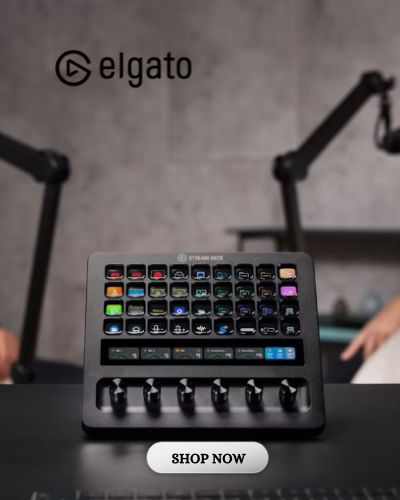
One of the most recognisable products from Elgato is Stream Deck, a programmable controller designed to simplify digital workflows through customisable buttons.
Stream Deck devices feature keys that can display icons and trigger actions assigned by the user. Depending on the model, creators can configure buttons to launch applications, switch scenes, control supported devices, execute shortcuts, or perform multiple actions in sequence.
For livestreaming, Stream Deck can be particularly useful when working with broadcasting software such as OBS Studio. A creator can assign buttons for changing scenes, muting audio, displaying graphics, or activating supported streaming functions.
This reduces the need to search through menus during a live broadcast, allowing the creator to focus more attention on the audience.
Elgato offers different Stream Deck models, including compact options and larger controllers with additional keys or controls. The Stream Deck + also includes rotary dials and a touch strip, providing alternative ways to adjust compatible settings.
The Stream Deck software supports profiles and integrations that allow users to organise commands for different applications. For example, a video editor might create one profile for editing shortcuts and another for audio adjustments.
Stream Deck is not limited to gaming or livestreaming. Professionals can use it to manage online meetings, control presentations, launch frequently used programs, and automate repetitive computer tasks.
Elgato also operates a Marketplace where users can explore compatible plugins, icons, profiles, and other digital resources that expand customisation possibilities.
However, compatibility varies between applications, operating systems, and plugins. Users should confirm that their preferred software supports the actions they want to automate.
With thoughtful configuration, Stream Deck can become a practical productivity tool for both creative and professional workflows.
3. Capture Cards: Record and Stream Gameplay with Greater Flexibility
Gaming content remains a major part of the online entertainment industry. Viewers enjoy watching gameplay tutorials, competitive matches, live commentary, and creative gaming challenges. Producing this content often requires a reliable way to capture video from gaming consoles or other supported devices.
Elgato offers game capture products designed to transfer video signals into compatible computers for recording and livestreaming.
Capture cards can be particularly useful for creators who play on consoles and want to broadcast gameplay through software running on a separate computer. They can also support certain dual-PC streaming configurations, where one computer handles gaming while another manages the broadcast.
The brand’s capture card lineup includes external and internal options with different supported resolutions, frame rates, and connection requirements.
Elgato offers products such as the 4K X and 4K Pro, which support advanced video capture configurations for compatible devices. The appropriate model depends on the gaming system, computer specifications, display requirements, and desired recording quality.
When selecting a capture card, users should understand the difference between video passthrough and recording capabilities. A device may support one resolution or refresh rate for passthrough while offering different specifications for captured footage.
Connection types also matter. Some capture cards use USB connections, while internal models require compatible PCIe slots.
Elgato capture products can work with supported recording and broadcasting software, but users should check compatibility before purchasing.
A good capture setup also requires appropriate cables, sufficient computer resources, and correctly configured audio settings.
By choosing equipment that matches their gaming environment, creators can build more flexible recording workflows and produce gameplay content suited to their audiences.
4. Improve Your Audio Quality with Wave Microphones and Audio Tools
Audio quality is one of the most important aspects of professional content creation. Even visually impressive videos can become difficult to enjoy when speech sounds unclear, background noise is distracting, or volume levels fluctuate significantly.
Elgato offers Wave microphones and audio accessories designed for streaming, recording, podcasting, and communication.
The Wave microphone range includes USB microphone options that simplify connecting audio equipment to compatible computers. These devices are intended to provide clear voice capture while offering convenient controls for different recording environments.
One of the useful technologies associated with selected Wave products is Clipguard, which helps reduce certain forms of audio distortion caused by unexpectedly loud input signals.
Elgato also provides Wave Link software for supported hardware and configurations. Wave Link allows creators to manage multiple audio sources and organise audio routing for streaming or recording.
For example, a streamer may want to control microphone audio separately from game sound, music, and communication applications. Having these sources organised can make it easier to adjust the balance during a broadcast.
The brand also offers microphone accessories, including arms, mounts, and related equipment that help position microphones more effectively.
Proper microphone placement is essential for clear recording. Keeping the microphone at a suitable distance, reducing room echo, and minimising background noise can significantly improve sound quality.
Elgato audio products can support these improvements, but equipment alone cannot eliminate every acoustic problem.
Creators should also test recording levels before livestreaming and use headphones to monitor audio when appropriate.
With a suitable microphone and thoughtful audio configuration, content creators can deliver clearer communication and a more comfortable listening experience.
5. Create Professional Visuals with Facecam, Key Light, and Studio Accessories
Visual presentation plays an important role in livestreaming, video tutorials, online meetings, and social media content. Camera quality, lighting, background arrangement, and framing all contribute to how professional a recording appears.
Elgato offers Facecam webcams designed for creators who want greater control over their video presentation.
The Facecam range includes models with different resolutions and capabilities, allowing users to choose equipment according to their recording requirements. Supported camera settings can be managed through Camera Hub software, which provides controls for image adjustments and compatible camera features.
However, even a high-quality webcam may produce disappointing results in poorly lit environments. Lighting is often one of the most effective ways to improve image quality.
Elgato offers Key Light products that provide adjustable illumination for streaming and recording spaces. These lights are designed to help creators manage brightness and colour temperature, making it easier to achieve consistent lighting.
For example, a creator recording tutorials at a desk may use a Key Light to illuminate their face while reducing harsh shadows.
The brand also provides mounting accessories, including Multi Mount components and other studio equipment that help position cameras, lights, and accessories.
Elgato offers Green Screen products for creators who want to replace or remove backgrounds using compatible software.
A well-organised studio does not necessarily require expensive equipment. Thoughtful placement of a camera, suitable lighting, and a clean background can produce noticeable improvements.
By combining compatible devices with careful setup, creators can develop visual environments that reflect their personal style and production goals.
6. Why Elgato Is Worth Considering for Streamers, Gamers, and Digital Professionals
The growing demand for online video, livestreaming, remote communication, and digital entertainment has created opportunities for creators with different interests and experience levels. Whether someone is starting a gaming channel, developing educational content, or improving a professional workspace, having reliable equipment can support more efficient production.
Elgato offers an ecosystem of products that address several important aspects of content creation, including workflow control, video capture, audio recording, lighting, and camera management.
One of the brand’s strengths is the ability to combine different products into a coordinated setup. A creator might use Stream Deck to manage broadcasting actions, a Wave microphone for voice recording, a Facecam for video, and Key Light for consistent illumination.
For gaming creators, capture cards provide additional recording options, while programmable controllers can simplify interactions with streaming software.
For professionals outside the gaming industry, Elgato products can also support presentations, online teaching, remote meetings, video production, and repetitive computer workflows.
Before purchasing, users should consider their actual requirements. A beginner recording occasional videos may need only a suitable microphone and basic lighting, while an experienced streamer may benefit from a more advanced production system.
Compatibility is another essential factor. Computer operating systems, USB connections, graphics capabilities, supported software, and available workspace can influence which products are appropriate.
Elgato also introduces updated hardware and software features over time. Product specifications, prices, bundles, and promotional offers may vary, so customers should review the latest information before making a purchase.
Investing in content creation equipment should be a gradual process guided by practical needs rather than the assumption that every available accessory is necessary.
Ultimately, Elgato provides tools that can help creators simplify production tasks and improve the technical quality of their content.
Whether you are streaming your favourite games, recording educational videos, producing podcasts, or managing a professional digital workspace, Elgato offers equipment designed to make creative workflows more convenient and customisable.
With the right combination of hardware, software, and creative planning, users can develop more organised production environments and focus on delivering valuable experiences to their audiences.