


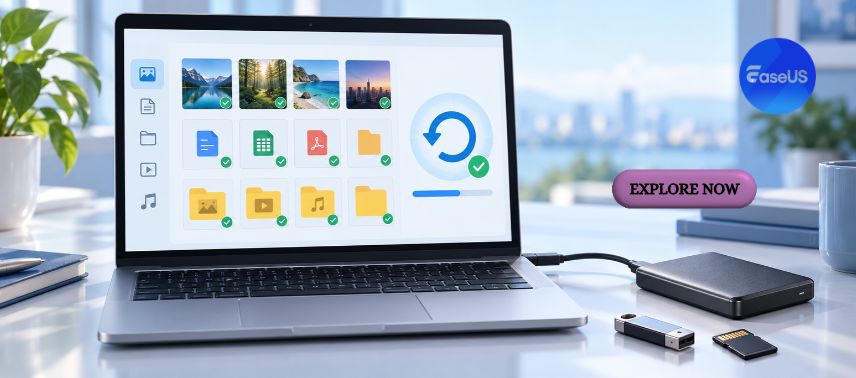
In today’s digital world, personal memories, business documents, creative projects, and important information are increasingly stored on computers, smartphones, and external storage devices. While technology makes it easier to organise and access these files, unexpected technical problems can sometimes put valuable data at risk. Accidental deletion, storage device failures, system crashes, and software errors can create frustrating situations for individuals and businesses. EaseUS offers a range of software solutions designed to help users recover lost files, manage storage devices, protect important information, and simplify everyday digital tasks.
From recovering accidentally deleted photographs to transferring files between computers and creating reliable backups, EaseUS provides tools for different data management needs. Its software portfolio includes data recovery, disk partition management, backup and recovery, and PC transfer solutions, making it relevant for home users, students, professionals, and organisations that want greater control over their digital information.
1. EaseUS: Making Data Management and Digital Protection More Accessible
Digital information has become one of the most valuable resources for modern individuals and businesses. Family photographs, academic assignments, financial records, customer databases, and professional projects may all be stored electronically. Losing access to these files can interrupt daily activities and, in some cases, create significant financial or operational consequences.
EaseUS develops software intended to address common challenges related to data management, storage maintenance, and system protection. Rather than focusing on a single utility, the company offers multiple products that support different stages of managing digital information.
Its data recovery tools are designed to help users locate files that have been deleted or become inaccessible under certain circumstances. Backup software provides ways to create copies of important information, while partition management utilities help organise storage devices and manage disk space.
Another important area is computer migration. When upgrading to a new computer, transferring applications, settings, and personal files can require considerable effort. EaseUS offers tools intended to simplify supported migration tasks.
One of the company’s advantages is its focus on software that can be used by people with different levels of technical experience. Guided interfaces and step-by-step processes can make certain maintenance activities more approachable.
However, data recovery and disk management are sensitive operations. Their success depends on factors such as storage device condition, file system integrity, available backups, and whether deleted information has been overwritten.
For this reason, EaseUS tools should be used carefully, with users reviewing instructions and protecting important files before performing operations that modify storage devices.
2. Recover Accidentally Deleted Files with EaseUS Data Recovery Wizard
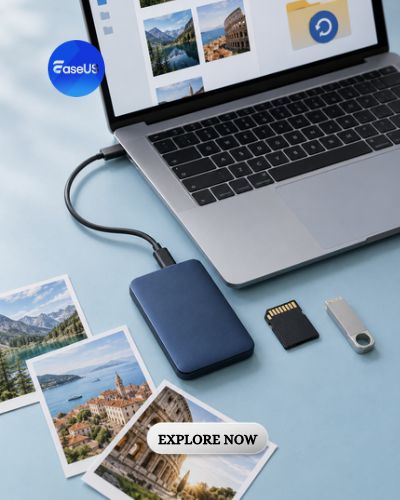
Accidental file deletion is a common problem that can affect anyone. A student might remove an important assignment, a photographer could lose images from a memory card, or an employee might accidentally delete a project folder. In some situations, data recovery software can help locate files that are no longer accessible through ordinary methods.
EaseUS Data Recovery Wizard is one of the best-known products offered by EaseUS. It is designed to scan supported storage devices and search for recoverable files, including documents, photographs, videos, and other common file types.
The software supports recovery scenarios involving accidental deletion, formatted partitions, and certain types of inaccessible storage. Users can scan compatible internal drives, external hard drives, USB devices, and memory cards, depending on the operating system and device condition.
A useful feature is the ability to preview certain detected files before attempting recovery. This can help users identify relevant documents or photographs instead of restoring everything found during a scan.
EaseUS also provides free and paid recovery options, with recovery limits and advanced functionality depending on the selected edition.
However, recovery results are never guaranteed. When a file is deleted, its data may remain temporarily available, but continued use of the storage device can overwrite the information. Solid-state drives with TRIM enabled may make recovery particularly difficult or impossible after deletion.
If important files disappear, users should avoid saving new information to the affected drive and should not install recovery software directly onto the same storage device when doing so could overwrite recoverable data.
For physically damaged drives or storage devices making unusual noises, professional data recovery services may be safer than repeated software scans.
Used under appropriate conditions, EaseUS Data Recovery Wizard can provide an additional option for attempting to restore valuable digital files.
3. Manage Storage Space and Disk Partitions with EaseUS Partition Master
Computer storage management plays an important role in maintaining an organised digital environment. As users install applications, save documents, and download media, available disk space can gradually decrease. Some computers also contain multiple partitions that separate operating system files from personal data.
EaseUS Partition Master is a disk management utility offered by EaseUS to help users organise and modify supported storage devices.
The software provides features for resizing, moving, creating, deleting, and formatting partitions. These functions can be useful when users need to reorganise available space or prepare a storage device for a different purpose.
For example, someone may want to allocate more space to a partition that contains important applications. Depending on the existing disk structure and available free space, partition management software may help adjust the allocation without requiring a complete manual reconfiguration.
EaseUS also offers selected disk cloning and migration features through compatible editions. These tools can help users transfer data or move an operating system to another supported storage device.
Upgrading from an older hard disk drive to a solid-state drive is one situation where migration tools may be useful. A successful migration can help preserve files and certain system configurations while moving to different hardware.
However, disk operations carry risks. Power interruptions, hardware problems, incompatible settings, or unexpected software errors can potentially cause data loss.
Before using EaseUS Partition Master, users should create a verified backup of important information and carefully review the selected operation.
For advanced changes involving system partitions, encryption, or boot configurations, additional technical knowledge may be necessary.
When used responsibly, disk management software can help users organise storage resources and maintain more flexible computer configurations.
4. Protect Important Files with Backup and Recovery Solutions
Recovering lost files can sometimes be possible, but preventing permanent data loss is generally a more reliable strategy. Backups create additional copies of important information so that files can be restored if the original data becomes unavailable.
EaseUS offers backup and recovery software, including EaseUS Todo Backup, designed to help users protect documents, operating systems, and selected storage resources.
Depending on the edition, the software supports different backup methods, including file backups, disk backups, partition backups, and system backups. These options allow users to choose the level of protection appropriate to their requirements.
For example, a freelancer working on multiple client projects may create scheduled backups of important folders. A small business could maintain system backups to help recover from certain software failures or accidental changes.
EaseUS backup tools can also support restoration processes that help return files or systems to an earlier saved state, subject to the availability and integrity of the backup.
Scheduling is particularly useful because manual backups are easy to forget. Automated routines can reduce the amount of repetitive work required to maintain updated copies of important information.
However, backup software should be part of a broader protection strategy. Keeping all backup copies on the same physical computer can leave information vulnerable to hardware failure, theft, or certain malware incidents.
A practical approach is the 3-2-1 backup principle: maintain three copies of important data, use two different storage media or systems, and keep at least one copy in a separate location.
Businesses handling sensitive information should also consider encryption, access permissions, and periodic restoration testing.
By combining suitable backup routines with responsible security practices, EaseUS solutions can contribute to stronger digital resilience.
5. Transfer Files, Applications, and Settings Between Computers More Easily
Upgrading to a new computer can be exciting, especially when the new device offers better performance, additional storage, or improved functionality. However, transferring important files and rebuilding a familiar working environment can take considerable time.
EaseUS offers PC transfer software intended to simplify certain migration tasks between compatible computers.
EaseUS Todo PCTrans helps users transfer supported files, applications, and settings from one Windows computer to another. This can be useful for individuals replacing older devices or businesses preparing new workstations.
Rather than manually locating every folder and reinstalling every application, users can explore supported transfer methods that streamline parts of the migration process.
EaseUS also provides tools for managing different aspects of digital productivity, including utilities related to file management and storage operations.
For small businesses, computer migration can be especially important when employees need to continue working with minimal disruption. Preserving relevant documents and configurations can help reduce setup time.
However, not every application or setting can be transferred successfully. Software licensing restrictions, operating system compatibility, device drivers, and security configurations may require additional attention.
Before beginning a migration, users should verify compatibility, back up important files, and confirm that they have access to necessary software licences and account credentials.
It is also important to check the transferred information before deleting files from the original device. Keeping the old computer available temporarily can provide an additional safeguard if important data is missing.
With careful preparation, EaseUS migration tools can help make computer upgrades more organised and manageable.
6. Why EaseUS Is Worth Exploring for Everyday Data Security and Computer Maintenance
Digital devices have become central to education, communication, business operations, and personal organisation. As people store increasing amounts of information electronically, having reliable methods for managing files and protecting important data becomes more valuable.
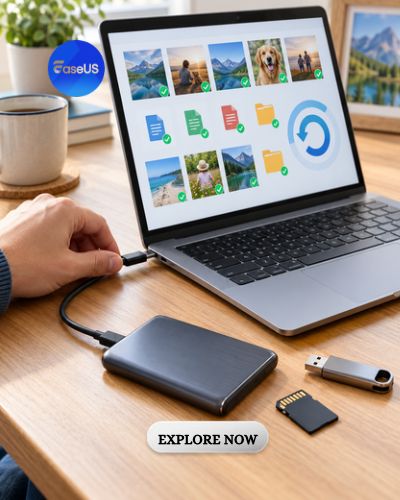
EaseUS offers a broad portfolio of software tools intended to address several common technical challenges. Data Recovery Wizard provides an option for attempting to restore lost files, Partition Master supports storage management, Todo Backup helps users create backup copies, and Todo PCTrans assists with supported computer migration tasks.
For students, these tools may be relevant when managing assignments, transferring educational materials, or attempting to recover accidentally deleted documents.
Freelancers and creative professionals can explore backup solutions to protect project files, photographs, videos, and client deliverables. Businesses may find value in tools that support workstation migration, storage maintenance, and recovery planning.
EaseUS provides free versions or trial options for selected products, along with paid editions that offer additional features or expanded capabilities. Pricing, licence terms, supported devices, and feature limits vary by product.
Before purchasing, customers should compare the available editions and determine whether the software supports their operating system, storage configuration, and intended task.
It is equally important to understand that software utilities cannot guarantee recovery from every technical problem. Severely damaged hardware, overwritten data, unsupported configurations, and certain encryption scenarios may prevent successful restoration.
Users should also avoid performing unfamiliar disk operations without first securing important information.
Ultimately, EaseUS offers practical software solutions for people who want to manage digital information more effectively and prepare for unexpected technical challenges.
Whether you are recovering deleted photographs, organising disk partitions, creating system backups, or moving files to a new computer, EaseUS provides tools designed to support different stages of digital file management.
By combining appropriate software with regular backups, careful maintenance, and responsible security habits, individuals and businesses can improve their ability to protect valuable information and maintain more dependable digital workflows.